
Master Rummy APK Download: Android Installation Guide
Download the Master Rummy APK from the official source, install it on Android, avoid unsafe mirrors, fix common errors and keep the app updated.
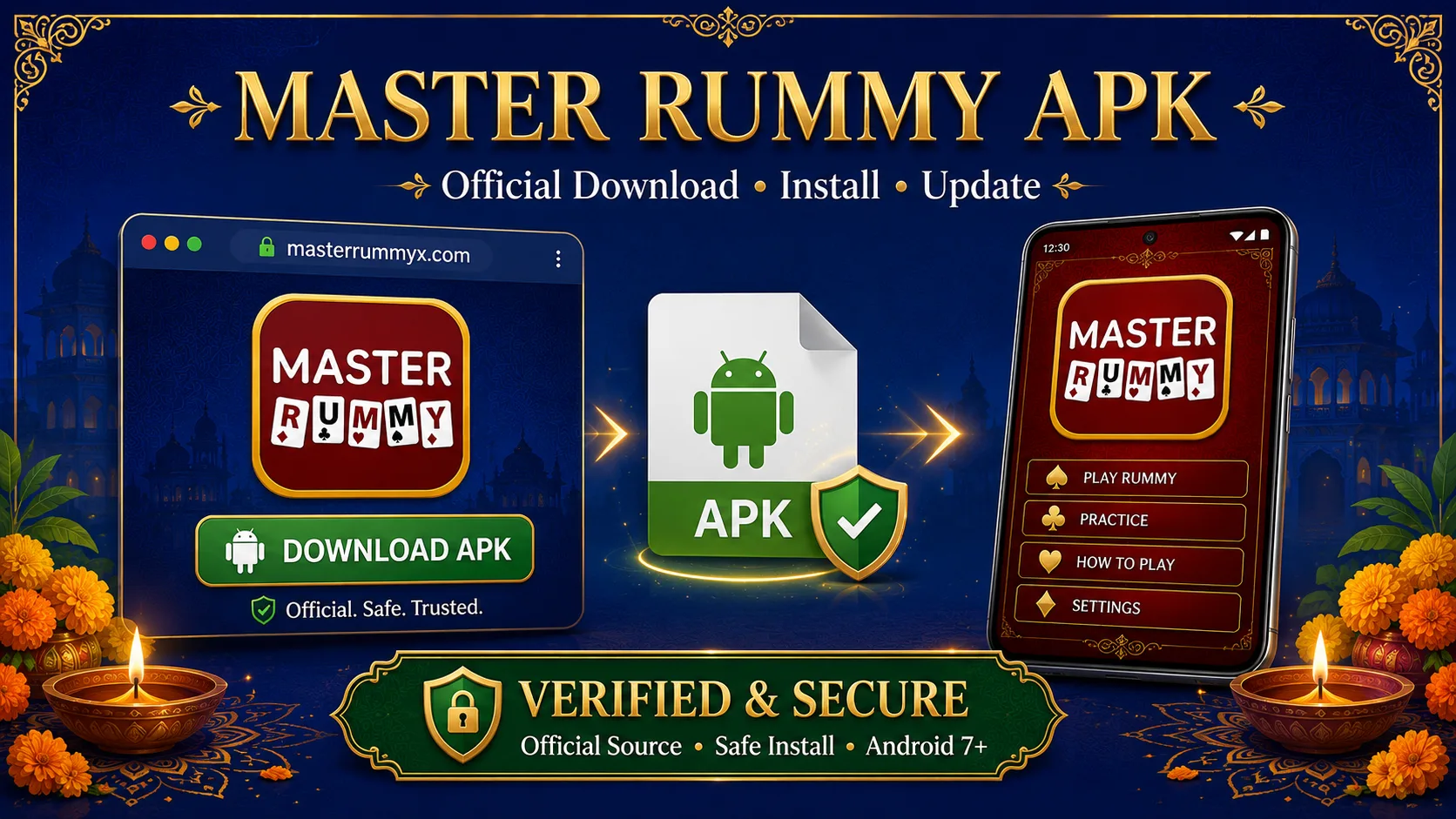
Use the download link published on the MASTER RUMMY website, then check the app name and Android requirements before installing. APK files can be renamed or redistributed, so a familiar filename is not proof of origin. Keep Android’s security checks enabled and use the same verified source for updates.
Quick Answer: Where Should You Download Master Rummy?
Master Rummy currently provides its Android app through the official Master Rummy website, which also links to a Google Play option. The official site currently lists the APK for Android 7+ and advises players to use official download links.
Before downloading, verify that you are using the real Master Rummy website rather than an APK mirror, repost or similarly named page.
The key rule is simple:
Start from the official source, not from the APK file.
That distinction protects you from a surprisingly common mistake: finding the right app name attached to the wrong file.
Why the Download Source Matters More Than the File Name
Imagine you find two files:
master-rummy.apk
and:
MasterRummy_latest.apk
Their names tell you almost nothing.
Anyone redistributing an APK can rename a file.
What matters is how you arrived at it.
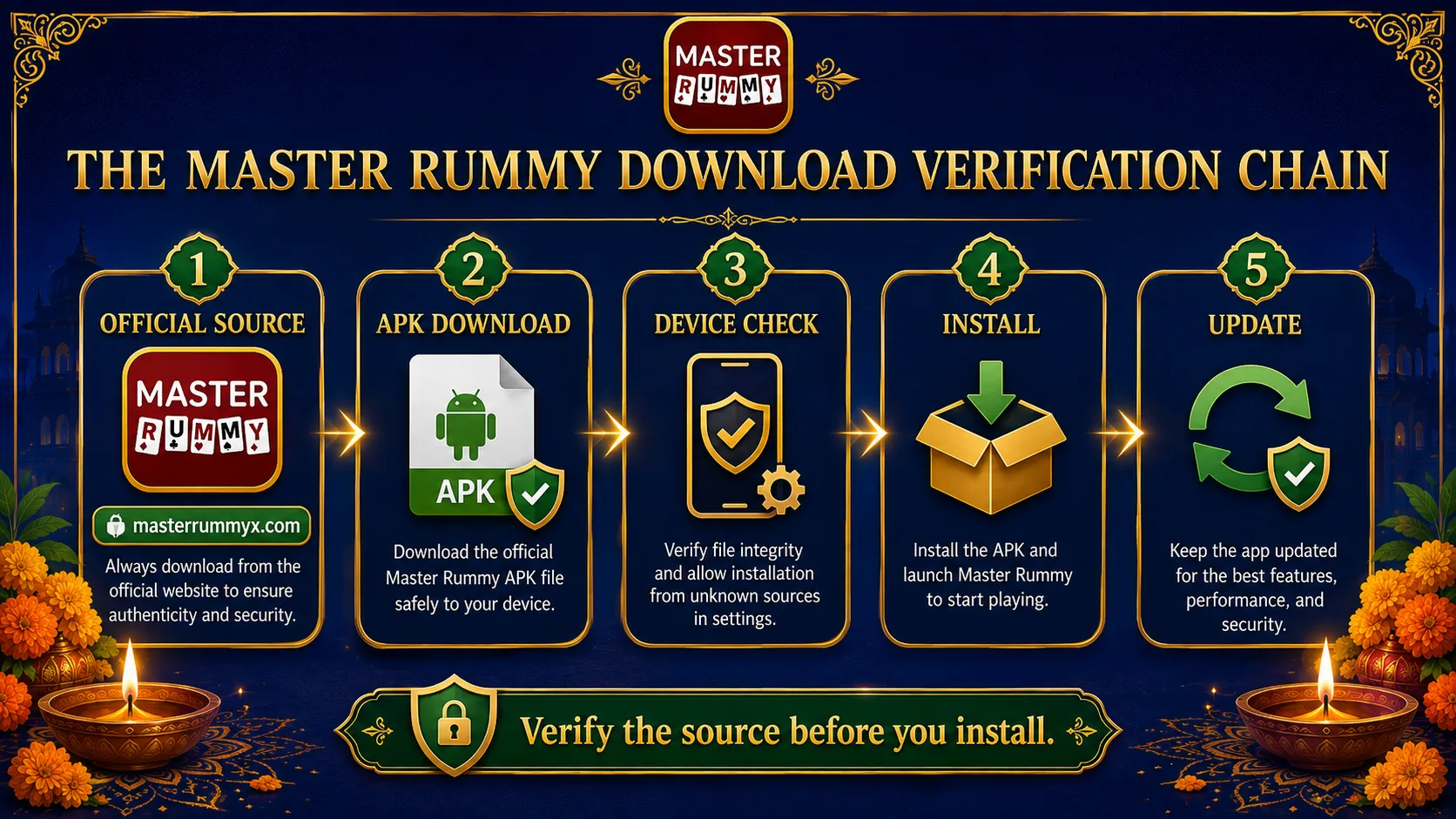
A stronger verification chain looks like this:
Official Master Rummy website
↓
Official download button
↓
APK delivered through the official distribution path
↓
Installation on your Android device
A weaker chain looks like:
Search result
↓
Unknown APK site
↓
“Latest Version” button
↓
File with a familiar name
Both routes may end with something called “Master Rummy.”
They are not equally trustworthy.
Master Rummy's own FAQ currently says the APK should be installed using the official link.
What We Can Verify From the Official Master Rummy Site
Rather than filling an APK article with invented technical specifications, it is better to separate confirmed information from assumptions.
At the time this guide was updated, the official Master Rummy website publicly shows:
| Item | Current official information |
|---|---|
| Platform | Android |
| Minimum Android shown | Android 7+ |
| APK route | Official website |
| Alternative route | Google Play link |
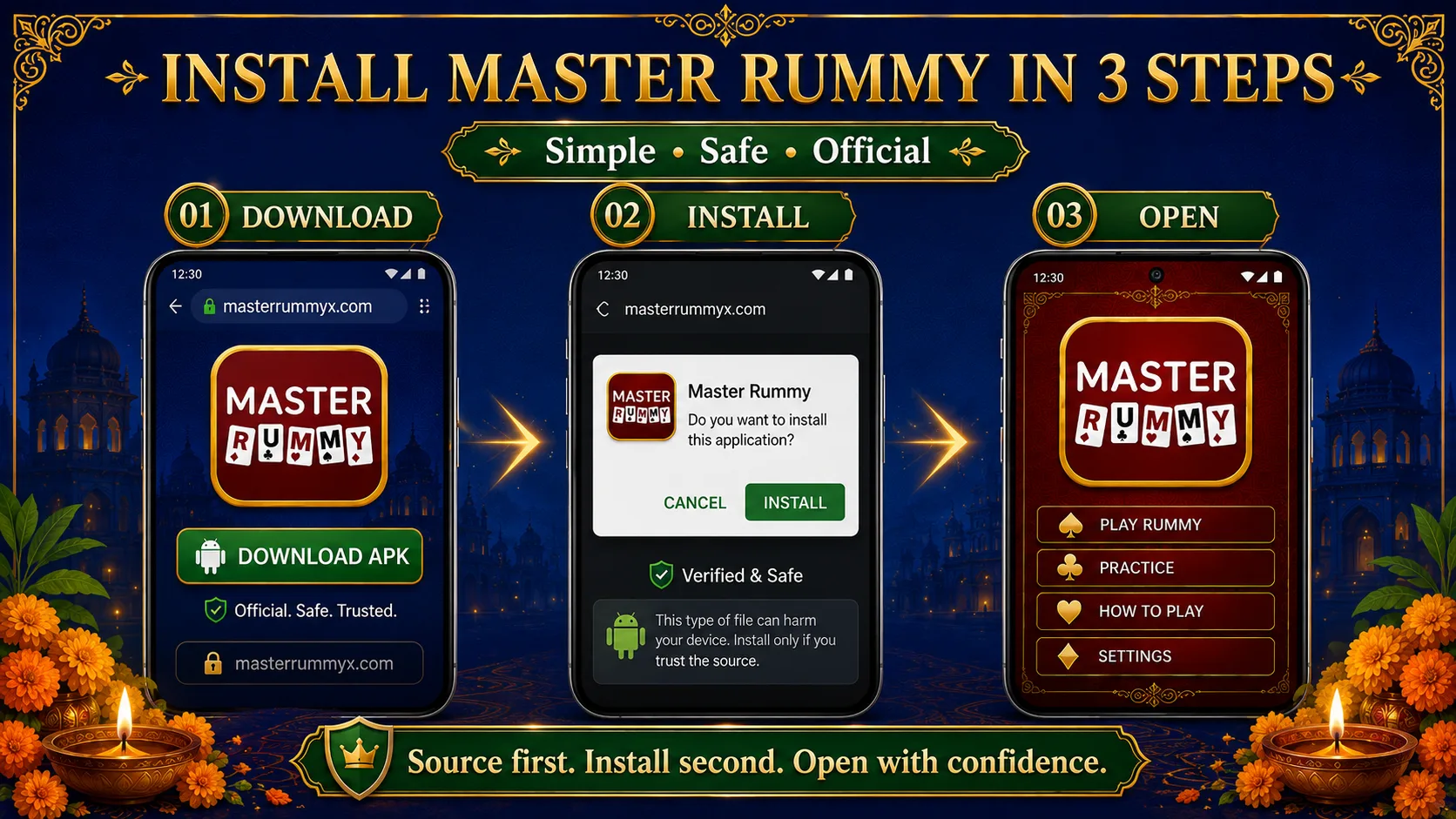
| Installation flow | Download → Allow installation → Open app |
| Age requirement shown | 18+ |
| Availability | Eligible regions where permitted |
These points are currently stated across the official Master Rummy website and About page.
Notice what is not in this table:
A made-up APK size.
A guessed version number.
A fabricated “latest update” date.
Those details should only be published when they come directly from the release system.
That may sound minor, but it is exactly the kind of thing that separates a useful software page from an SEO page filled with invented specifications.
How to Download the Master Rummy APK
The actual process is short.
Step 1 — Start From the Official Master Rummy Website
Open the official Master Rummy site.
Look for the:
Official Android App
or:
Download Official APK
button.
The homepage currently exposes the official APK download directly and also provides a Google Play route.
Do not search for the APK filename separately after reaching the site.
Use the site's own download action.
Step 2 — Download the APK
Start the APK download from the official button.
Your browser may show a message because an APK is an installable Android package rather than an ordinary document or image.
The exact Android prompt depends on the device and Android version.
The important thing is that you know where the file came from before responding to the installation prompt.
Step 3 — Allow Installation When Android Requests It
For a browser-downloaded APK, Android may require permission to install an app from that source.
Follow your device's on-screen instructions.
Do not enable unrelated permissions simply because another website tells you to.
Once installation is complete, you can return any temporary installation permission to your preferred setting.
Step 4 — Open Master Rummy
Launch the installed app.
At this point, the verification question changes.
Before installation, you were verifying the source.
After installation, you should verify that:
- the app launches normally;
- the branding matches the official service;
- account and support routes look consistent;
- you are not redirected to unrelated services.
Master Rummy's official website also provides dedicated FAQ, Support, Privacy and Terms pages, which gives users a reference point when checking whether information inside the app matches the official service.
Why We Do Not Recommend Random APK Mirrors
Third-party APK sites often compete for queries such as:
master rummy apk download
because these queries have strong download intent.
The problem is that a mirror introduces another party between:
the app publisher
and:
your device.
Even if a mirror once hosted the correct file, users still need answers to questions such as:
- Who uploaded it?
- Has the file been changed?
- Is it the current build?
- Will future updates come from the same place?
- Is the page imitating the official brand?
That extra uncertainty provides little benefit when an official route already exists.
So for Master Rummy, the preferred hierarchy should be:
1. Official Master Rummy website
2. Official store listing where available
3. Avoid unknown mirrors unless the publisher specifically identifies them as authorized
The current Master Rummy site itself describes the site as the official source for the Android app.
APK vs Google Play: Which Should You Use?
This question has a more useful answer than “one is better.”
Both are simply distribution routes.
APK Download
Useful when the official publisher provides Android installation directly.
The important trust signal is:
Who supplied the APK?
Google Play
Useful when the app is available to you through the official store listing.
The important trust signal is:
Does the listing correspond to the official product?
If both routes are officially provided, choose the one appropriate for your device and region.
Master Rummy currently presents both an official APK option and a Google Play link on its website.
Android 7+: What the Requirement Actually Means
The current Master Rummy homepage displays:
Android 7+
for the official APK.
This is useful information because installation problems are not always caused by the APK itself.
A device can fail to install an app because of:
- incompatible Android version;
- incomplete download;
- insufficient storage;
- installation permissions;
- conflicting older installation;
- a corrupted local file.
So when an APK fails, repeatedly downloading it is not always the right solution.
You need to identify which stage of the installation chain failed.
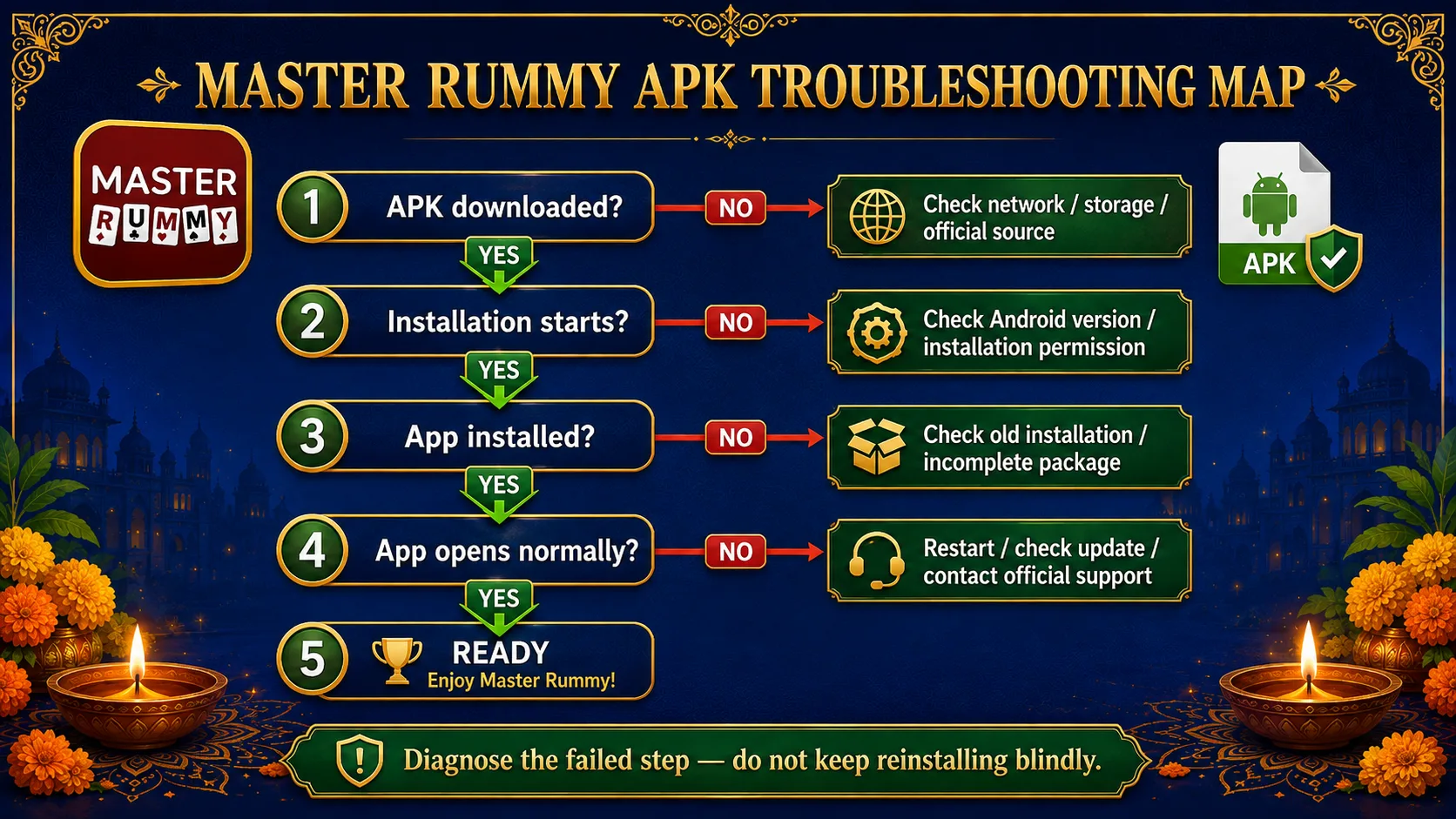
The Master Rummy Installation Diagnostic
Instead of guessing, use this order.
Problem 1 — The APK Will Not Download
Check:
- internet connection;
- available storage;
- whether the browser interrupted the download;
- whether you started from the official Master Rummy page.
If the download stops halfway, delete the incomplete file before trying again.
Problem 2 — “App Not Installed”
Check:
Android version
The current official page specifies Android 7+.
Storage
Make sure the device has enough free space for both the downloaded package and installation process.
Existing installation
An older or differently signed build can occasionally conflict with a new installation.
If you already have Master Rummy installed, first determine whether you are trying to install or update it.
Those are not always the same troubleshooting problem.
Problem 3 — Android Blocks the Installation
Do not immediately disable every security setting.
Check two things first:
Did you download the file from the official Master Rummy source?
and:
Is Android simply asking you to authorize installation from the browser/file source you used?
Only proceed when you understand the prompt.
Problem 4 — The App Installs but Does Not Open Correctly
Try:
- restarting the app;
- restarting the device;
- checking the network connection;
- checking whether an updated official build is available.
If the problem continues, use the official Master Rummy Support route rather than downloading a different APK from an unknown site. The site currently provides account, installation and app support.
How Should You Update Master Rummy?
An update should follow the same trust principle as the original installation.
If you installed the app through an official route:
Return to that official route for updates.
Do not respond to a random page simply because it claims:
“Master Rummy Latest APK 2026”
or:
“New Version Download.”
“Latest” is a marketing word unless it can be tied back to the publisher.
A stronger update workflow is:
Official Master Rummy source
↓
Current official build
↓
Install/update
↓
Open app
This keeps your installation path consistent.
A Better APK Page Should Publish Version Evidence
There is also something I recommend improving on your website itself.
A professional APK download page should ideally display release metadata such as:
- App name
- Current version
- Release/update date
- Minimum Android version
- APK file size
- Publisher
- Download source
And, if your technical team can reliably maintain it:
- SHA-256 file hash
Why?
Because it gives both users and search engines a concrete description of the downloadable software.
But do not manually invent these fields.
They should come from your release pipeline.
Right now, the public page clearly exposes Android 7+ and the official download route, but I would let your technical team supply the version, build size and hash dynamically rather than hard-coding numbers that eventually become stale.
Official Download vs Search Result: A 15-Second Check
Before installing, answer these five questions:
1. Did I start from Master Rummy's official website?
2. Did I use the official APK/download action on that site?
3. Does my Android version meet the current published requirement?
4. Am I responding only to permissions necessary for installation?
5. Will I return to the same official source when I need an update?
Five “yes” answers create a much stronger installation chain than:
“The file name looked right.”
Frequently Asked Questions
Where can I download the Master Rummy APK?
Use the official Master Rummy website's Android download route. The current official site provides an APK download button and advises users to use official links.
What is the official Master Rummy download?
The official website currently presents both an Official Android APK route and a Google Play option. Availability may depend on the user's device and region.
What Android version does Master Rummy require?
The current Master Rummy homepage lists the official APK as supporting Android 7+.
Is Master Rummy APK safe to install?
No APK should be judged as safe from its filename alone. The most important first check is whether it comes through the publisher's official distribution route. Master Rummy's own FAQ recommends using only its official link.
Why can't I install the Master Rummy APK?
Common areas to check include Android compatibility, device storage, incomplete downloads, installation permissions and conflicts with an existing installation.
Start by identifying which stage failed rather than repeatedly downloading different APK files.
Should I download Master Rummy from an APK mirror?
When the publisher already offers an official route, using an unknown mirror adds an unnecessary third party between the publisher and your device.
The official Master Rummy website should be your starting point.
How do I update the Master Rummy APK?
Return to the same official Master Rummy distribution route you used for installation and check for the current official build.
Avoid relying on unrelated pages whose only evidence is a “latest version” label.
Can I install Master Rummy from Google Play?
The Master Rummy website currently displays a Google Play option alongside the official APK route. Store availability can vary by region and device.
Who can use Master Rummy?
The current official website states that access is for adults 18+ in eligible regions where the service is permitted.
Final Takeaway
For a branded APK search, the biggest mistake is focusing only on the word:
Download.
The more important word is:
Official.
A trustworthy Master Rummy installation path should be easy to explain from beginning to end:
Official Source
↓
Official Download
↓
Compatible Device
↓
Controlled Installation
↓
Updates From the Same Source
The APK filename is not your strongest proof.
The chain that delivered the APK is.
So when you search:
Master Rummy APK
Master Rummy Download
or:
Master Rummy APK Download
do not simply ask:
“Where is the file?”
Ask:
“Can I trace this file back to the official Master Rummy source?”
That is the better download habit.