
How to Play Rummy Online: Table Controls & First Round
Learn how to play Rummy online by understanding table controls, sorting cards, drawing, discarding, using Jokers and checking a 13-card declaration.
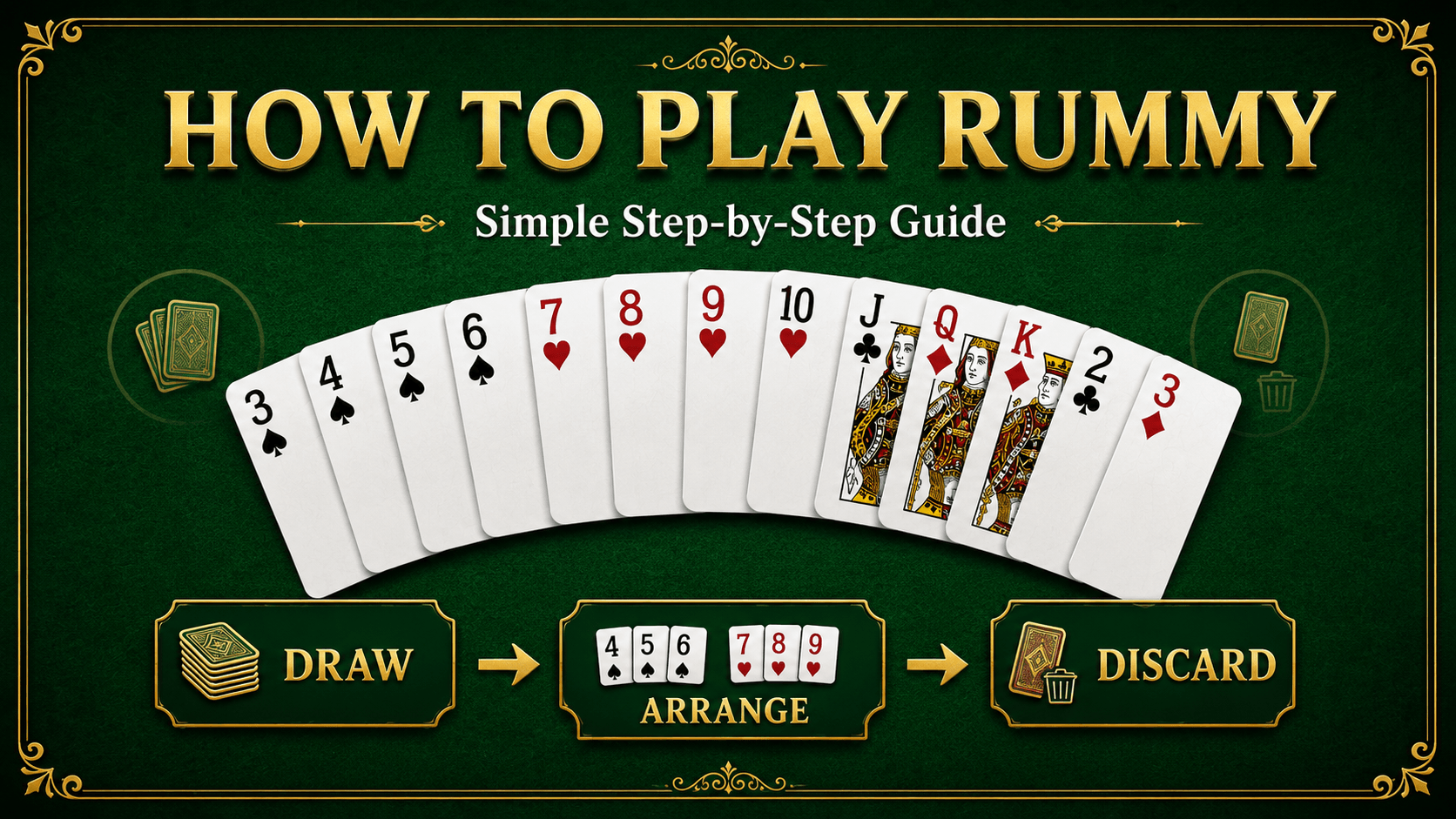
Knowing the card rules is only half of learning how to play Rummy online. You also need to understand what the table controls mean, when the turn timer starts, how to sort and group cards, and what to check before tapping Declare.
This guide focuses on the online-table experience. If you want a card-by-card learning hand first, begin with our 13 Card Rummy first-hand walkthrough. For the complete rule set, use the 13 Card Rummy rules guide.
What you see on an online Rummy table
Layouts vary between websites and apps, but most online tables contain the same basic areas:
- Your 13-card hand: normally displayed along the bottom of the screen.
- Closed deck: the face-down pile used for an unknown draw.
- Open pile: the face-up discard pile, showing the card currently available.
- Sort or group controls: tools that help arrange cards visually.
- Discard area: the place where you release one unwanted card.
- Turn indicator or timer: shows when you must act.
- Declare button: starts the final validation process when your hand is complete.
Control names and positions can differ. Read the on-screen table rules before beginning, especially if you are using a new platform or game format.
Before joining a table
Start with a practice or learning mode when one is available. It gives you time to understand the interface without making every decision under pressure. Confirm the format, number of cards, declaration rule, scoring method and any turn-time limit shown on the screen.
Use only an official website or verified app source. Avoid copies shared through unknown messages, and never provide account details through unofficial links. Our online Rummy safety checklist explains the practical checks to make before signing in or installing an app.
Step 1: sort the cards before acting
Use the Sort control if the table provides one, then inspect the result yourself. Automatic sorting is a visual aid; it does not guarantee that the suggested arrangement is the best final hand.
Look for natural cards of the same suit that are already consecutive or one card apart. Keep possible same-rank sets visible, and place Jokers where they can be found quickly. The first objective is to identify or build a pure sequence.
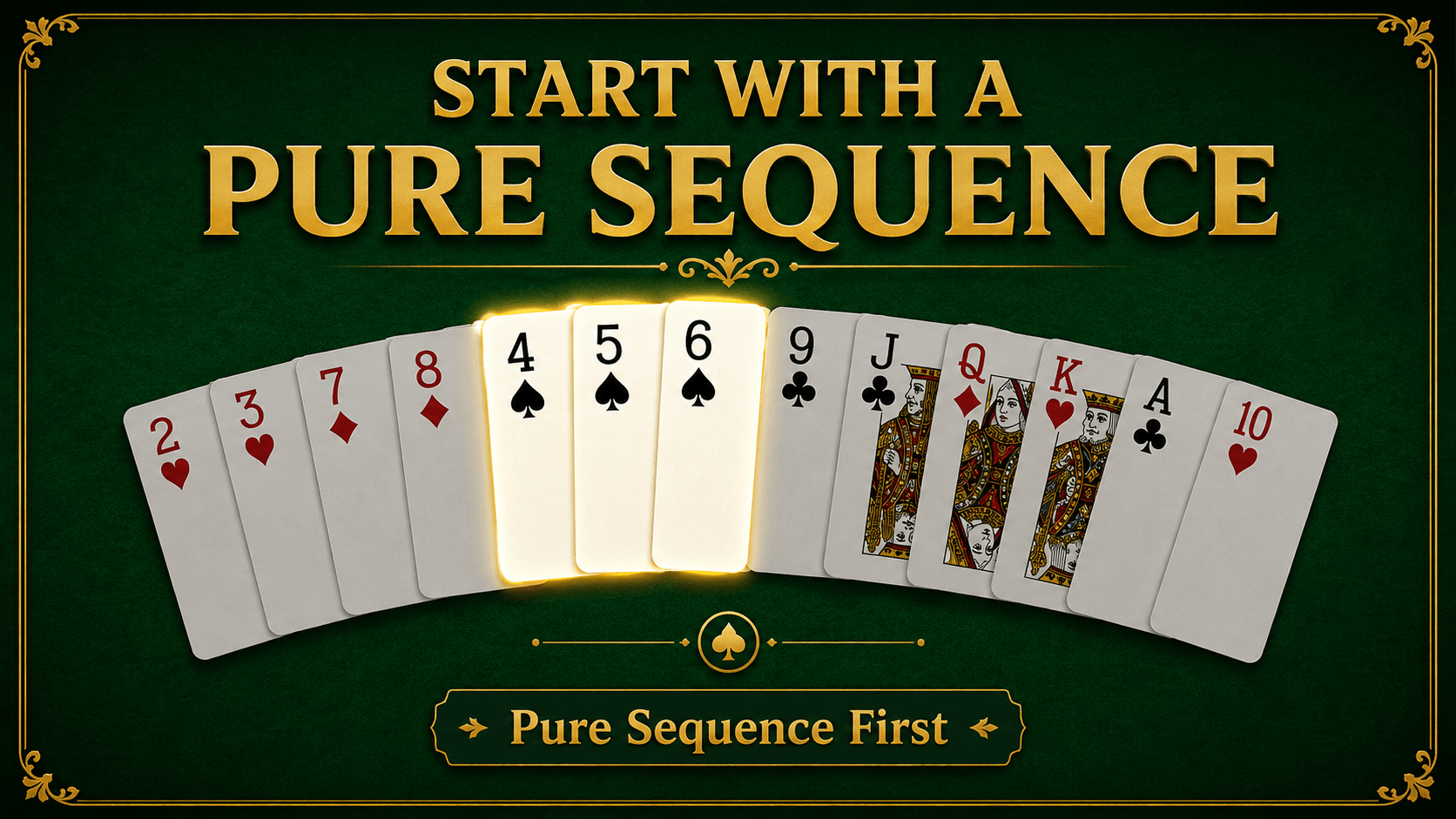
A pure sequence uses consecutive cards of one suit without substituting a Joker. See the dedicated pure sequence examples if this is not yet clear.
Step 2: choose between the closed deck and open pile
When your turn begins, select one card from the closed deck or take the visible card from the open discard pile, according to the table rules.
- Closed deck: the card is unknown, so the draw does not openly reveal which rank or suit you want.
- Open pile: the card is known and can complete a visible plan, but taking it may reveal information about your hand.
Before clicking, name the improvement you expect. Are you completing a pure sequence, extending a run, forming a set or replacing a risky unmatched card? A draw should support a plan rather than happen automatically.
Step 3: arrange all 14 cards
After drawing, your hand temporarily contains 14 cards. Pause before discarding. Move the new card beside every group it might support, then compare the alternatives.
For example, a 7♥ can connect with 5♥-6♥ or 8♥-9♥. A Queen may complete a same-rank set. A Joker might finish an impure sequence but should not be mistaken for the natural card required in a pure sequence.
If the interface has Group and Ungroup controls, use them to make the hand readable. Grouping cards on screen does not itself make the combination valid; the ranks, suits and Joker use still need to follow the rules. The examples in Rummy sequence vs set can help you validate each group.
Step 4: discard one card with purpose
Drag or tap one unwanted card into the discard area. Some tables ask for a second confirmation, while others discard immediately, so pay attention before releasing the card.
A useful discard candidate often has few connections to the rest of the hand. A lone high-value card can also create scoring risk, but do not discard it automatically when it is close to forming a sequence or set.
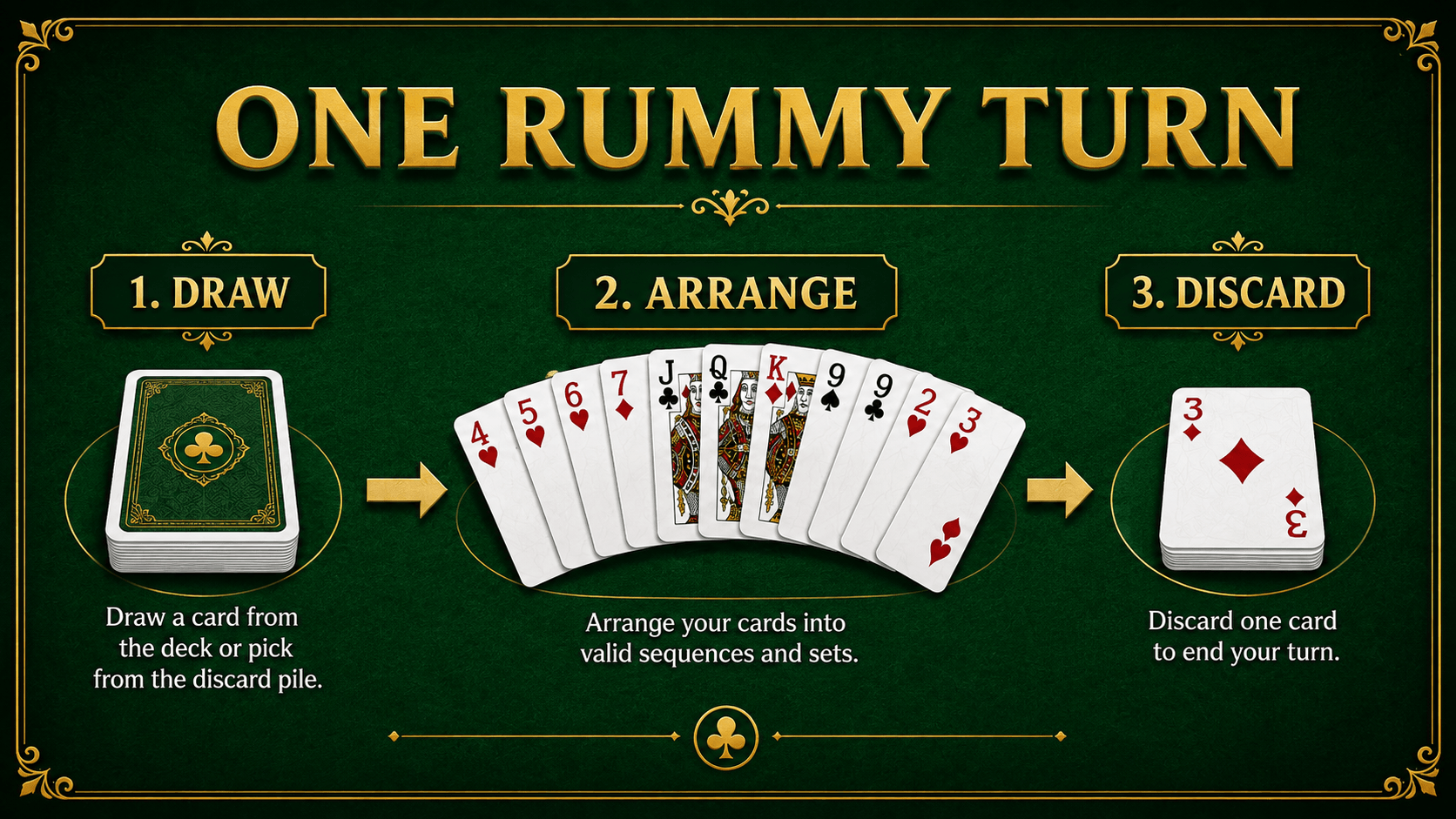
Once the discard is accepted, your turn ends. Avoid double-clicking controls when the connection is slow; wait for the table to confirm the action.
Step 5: watch the timer and table messages
Online play introduces timing and connection signals that are not part of a physical card table. A turn indicator shows when you can act. Warning messages may appear if the connection drops, the selected card is not allowed or the timer is nearly finished.
Make the card decision first, then use the control. Repeatedly moving cards while the timer runs can create unnecessary mistakes. If the screen stops updating, do not assume that a draw or discard failed—wait for confirmation before repeating it.
Practice helps because you can learn a consistent sequence: inspect, draw, regroup, discard and recheck.
Step 6: use Jokers without weakening the hand
Printed and declared wild Jokers can help complete impure sequences or sets under common rules. Their flexibility makes them useful for groups that are difficult to finish naturally.
Protect the required pure sequence first. Then test where the Joker removes the most uncertainty. If a natural card later completes that group, consider moving the Joker to a weaker combination.
Rules involving multiple decks or duplicate cards need extra attention. Review the table instructions and the guide to the role of Jokers in Indian Rummy before relying on a borderline combination.
Step 7: check the hand before tapping Declare
The Declare control should be the final action, not a shortcut for asking the app whether an unfinished hand is valid. Check the cards yourself first:
- Confirm at least one pure sequence.
- Confirm the required second sequence.
- Validate every other sequence and set.
- Make sure each card appears in one group only.
- Confirm that no card remains unmatched.
- Recount all 13 cards after the final discard.
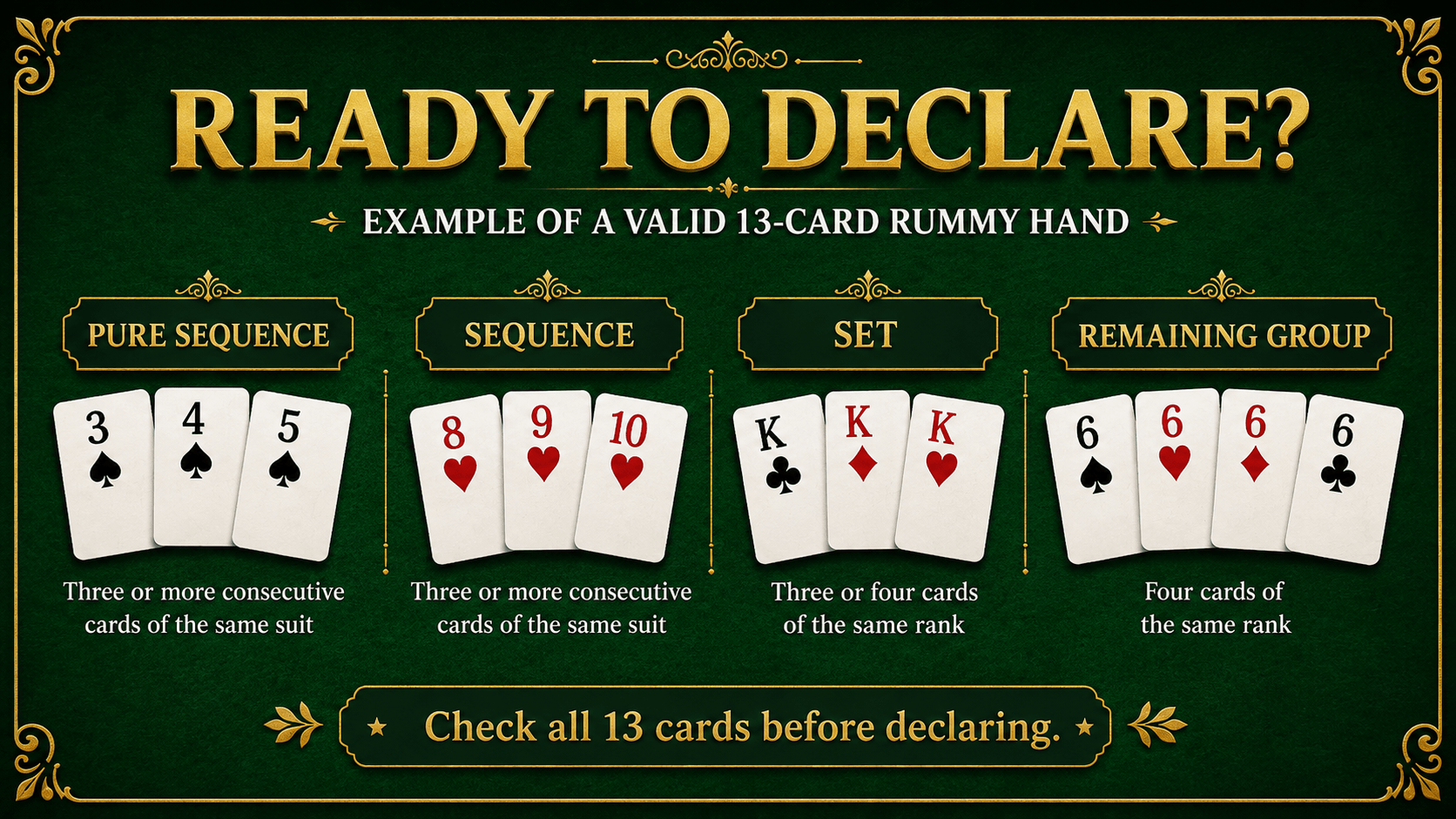
Use the full valid declaration checklist when you need more examples.
What happens after a declaration?
The interface normally asks you to arrange or confirm the declared groups. The platform then validates the hand according to that table's rules. If the declaration is accepted, the round ends and the result screen displays the outcome or points.
Scoring can differ between formats. Number cards commonly carry their face value, while unmatched Aces and face cards commonly carry 10 points in 13-card Indian Rummy. Learn the complete method from our worked Rummy points calculation examples.
A first-round online practice routine
Use this simple routine for several learning hands:
- Sort the cards by suit and rank.
- Identify the strongest pure-sequence possibility.
- Say why you want the open card before taking it.
- Regroup all 14 cards after every draw.
- Discard the least useful connected card.
- Perform the six-point declaration check.
You can practise this flow in the free 13 Card Rummy practice game. It uses fixed educational hands, requires no sign-up or payment and is not a live multiplayer table. Short demonstrations are also available on the Rummy videos page.
Common online-table mistakes
Trusting automatic sorting without checking
Sorting makes the hand easier to read, but it may not show the best final grouping. Validate every card yourself.
Taking the open card without a plan
A visible card is useful only when it improves a specific combination. Collecting loosely related cards can weaken the hand.
Discarding before reviewing all 14 cards
The drawn card may connect two groups. Arrange first and discard second.
Tapping Declare too early
A hand that looks organised can still lack a pure sequence or contain an invalid set. Use the checklist every time.
Ignoring the table's own rules
Turn times, scoring, drops and declaration procedures can vary. Treat the rules displayed by the current table as the final reference.
Frequently asked questions
Do I need to download an app to practise online Rummy?
Not always. Browser-based practice can teach sorting, sequences, sets and declaration checks. A particular service may still require its own official app for other modes.
What does the Sort button do?
It arranges cards visually, often by suit and rank. It does not guarantee that every displayed group is a valid final combination.
Can I take the top card from the open pile?
Common formats allow the visible discard to be taken on a turn, but the exact restrictions depend on the table rules.
Why did my declaration fail?
Common causes include a missing pure sequence, only one sequence, an invalid set, incorrect Joker use or one unmatched card.
Final online Rummy checklist
- Use an official platform and read the table rules.
- Understand the closed deck, open pile and turn timer.
- Sort the cards, then check the suggested groups yourself.
- Draw for a reason and review all 14 cards.
- Discard carefully and wait for confirmation.
- Validate every card before declaring.
Learning the controls removes unnecessary confusion, leaving you free to concentrate on the cards. Start with practice, follow the same routine each turn and play responsibly. Real-money play is only for eligible adults aged 18 and above where permitted.